Through VoiceTube Campus, you can share announcements with students in your class.
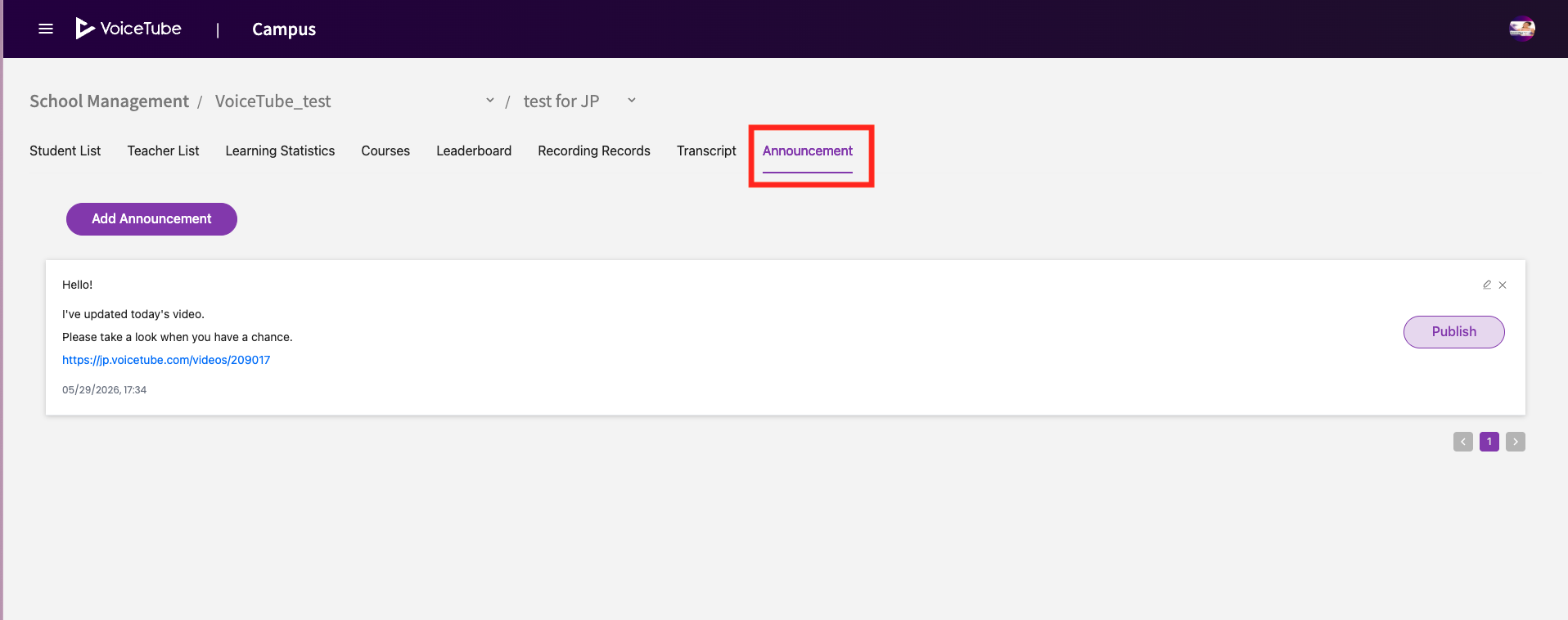
Add an Announcement
-
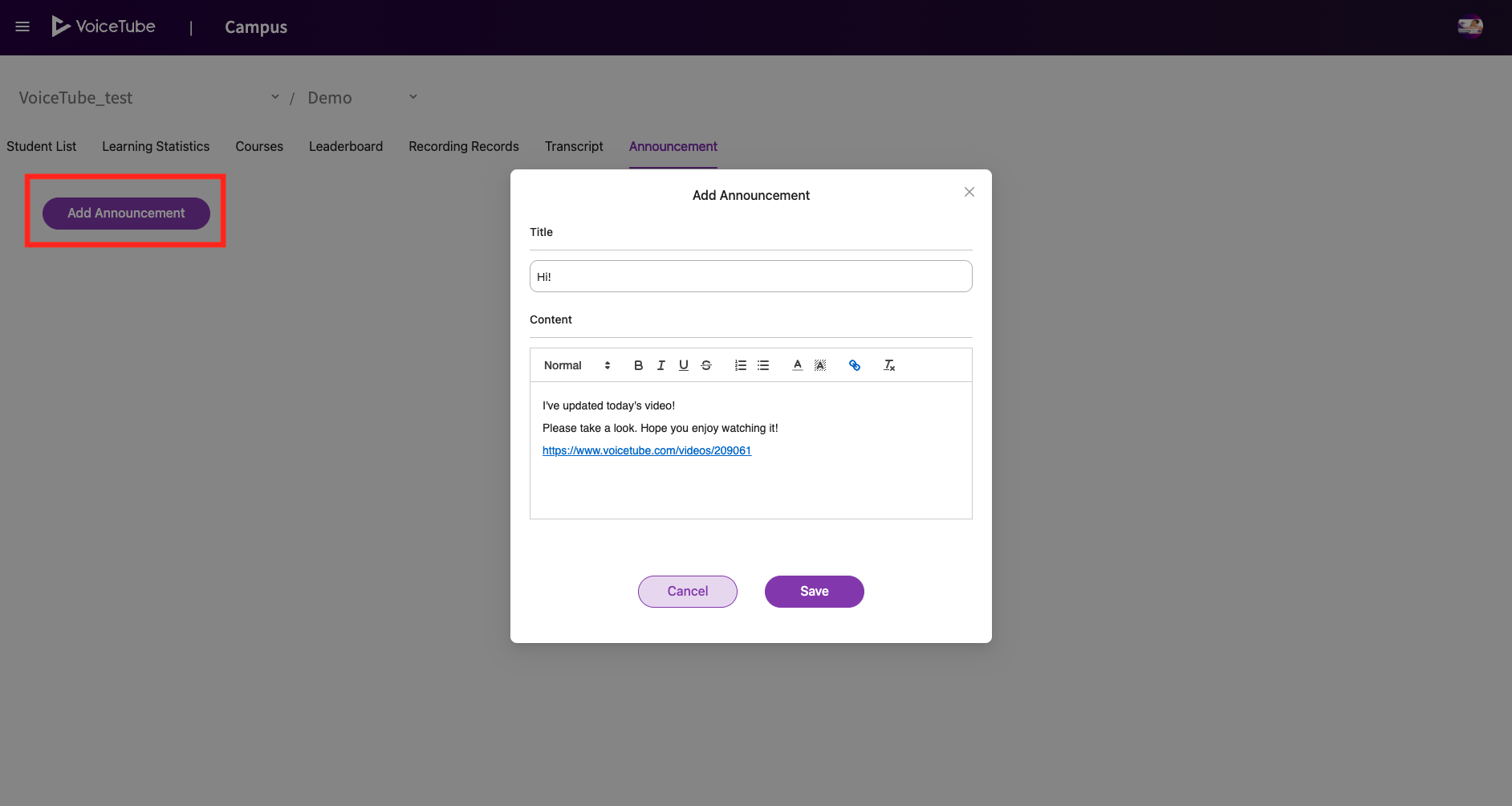
Click Add Announcement.
-
Enter the announcement content.
-
Click Save to save it as a draft.
-
Click Publish to share it with your students.
Student View
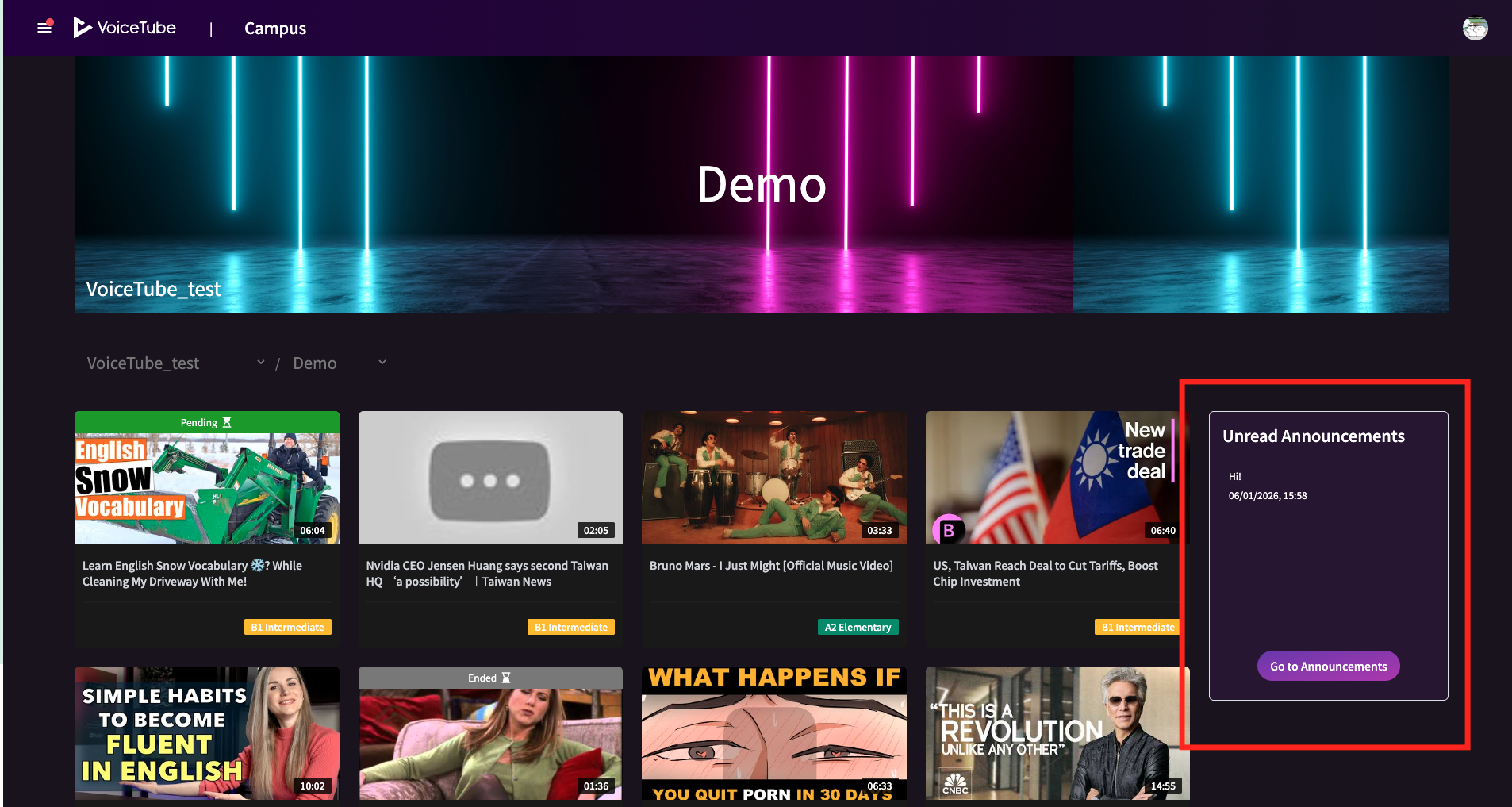
Once published, the announcement will appear in Unread Announcements on the Campus home page.
Delete an Announcement
-
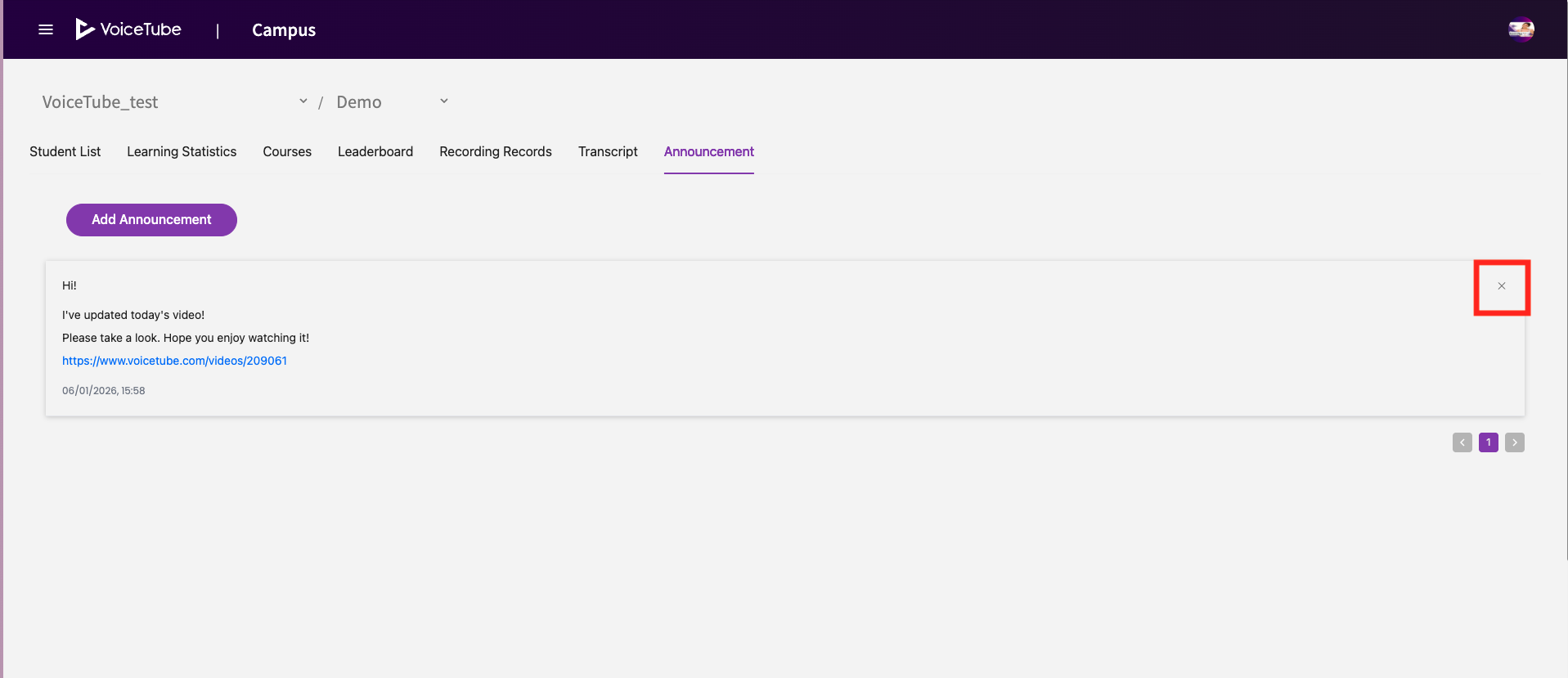
Click the × icon in the top-right corner of the announcement.
-
The announcement will be removed from both the teacher's and students' views.