The following is the tutorial for downloading digital materials and redeeming courses.
The following is a tutorial on downloading digital learning materials and redeeming courses
If you have any questions about operating WordUp, please feel free to email service@wordup.com.tw
How to get the WordUp App: 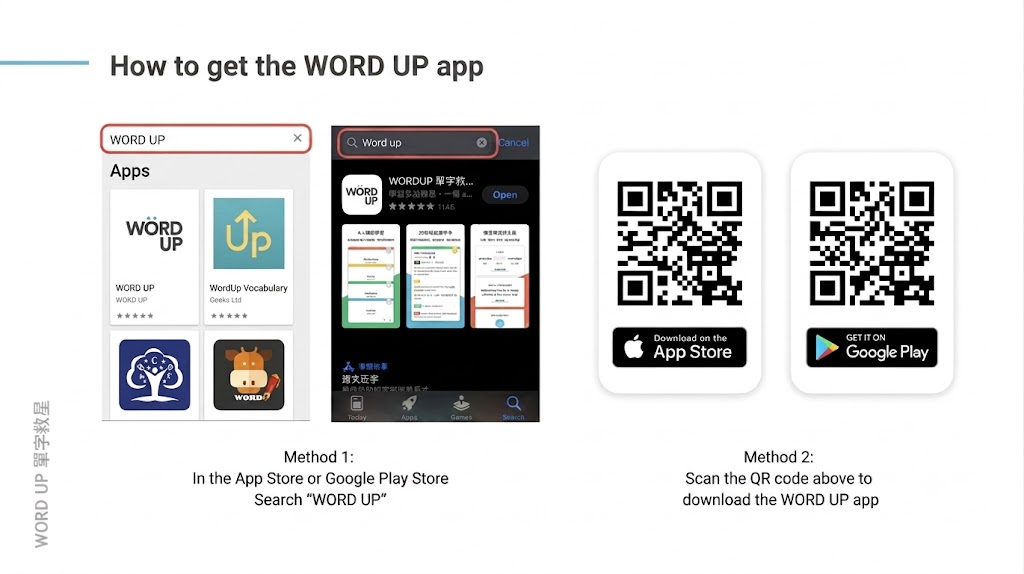
Step 1: Register or log in to your WordUp account
Please note, purchasing a Vclass course does not mean you have a WordUp account. If you have not registered with WordUp before, please register in this step. 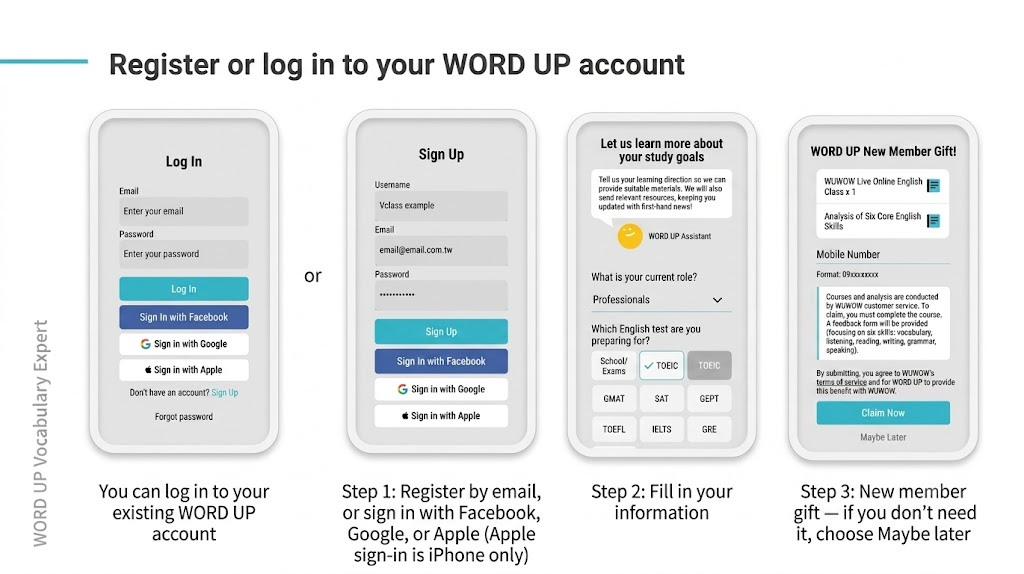
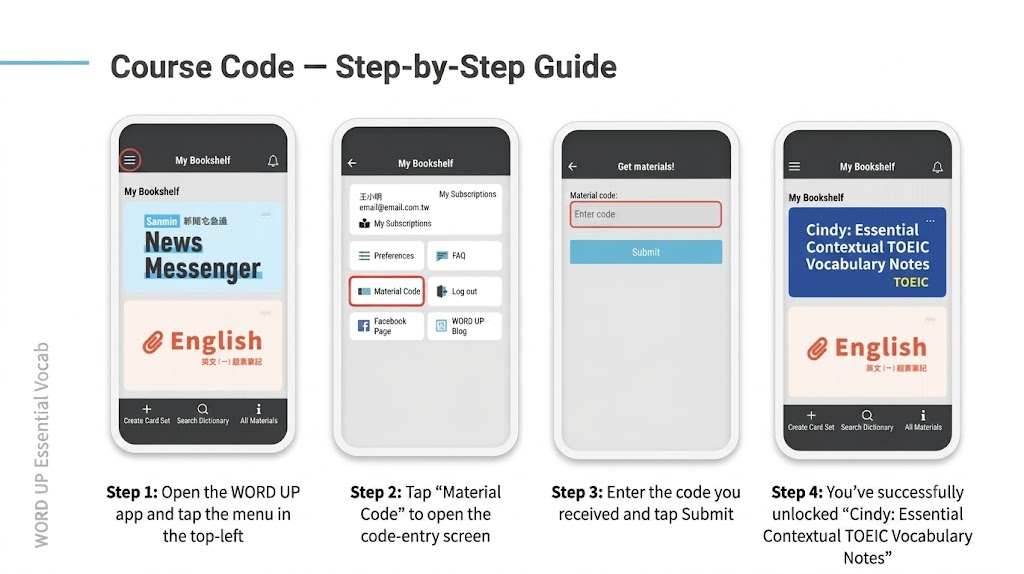
Step 2: Instructions for using the course code
Note: You must complete this step in order to redeem the digital learning materials!
What devices can I use to access the digital learning materials?
Whether you use a phone, tablet, or computer, you can log in to WordUp!
|Related Links|
Computer version URL: www.wordup.com.tw
iOS App download URL: https://lihi1.com/2CDCG
Android download URL: https://lihi1.com/UQy3j
📝 Note: This article was machine-translated. If anything is unclear, please contact our support team.