In the Conversation section, you can review both the conversation logs and assessment results from AI conversation practice activities completed by students.
What conversations can be viewed in the Conversation section?
The conversations available here are from practice activities conducted through the Conversation tab within videos in the VoiceTube app.
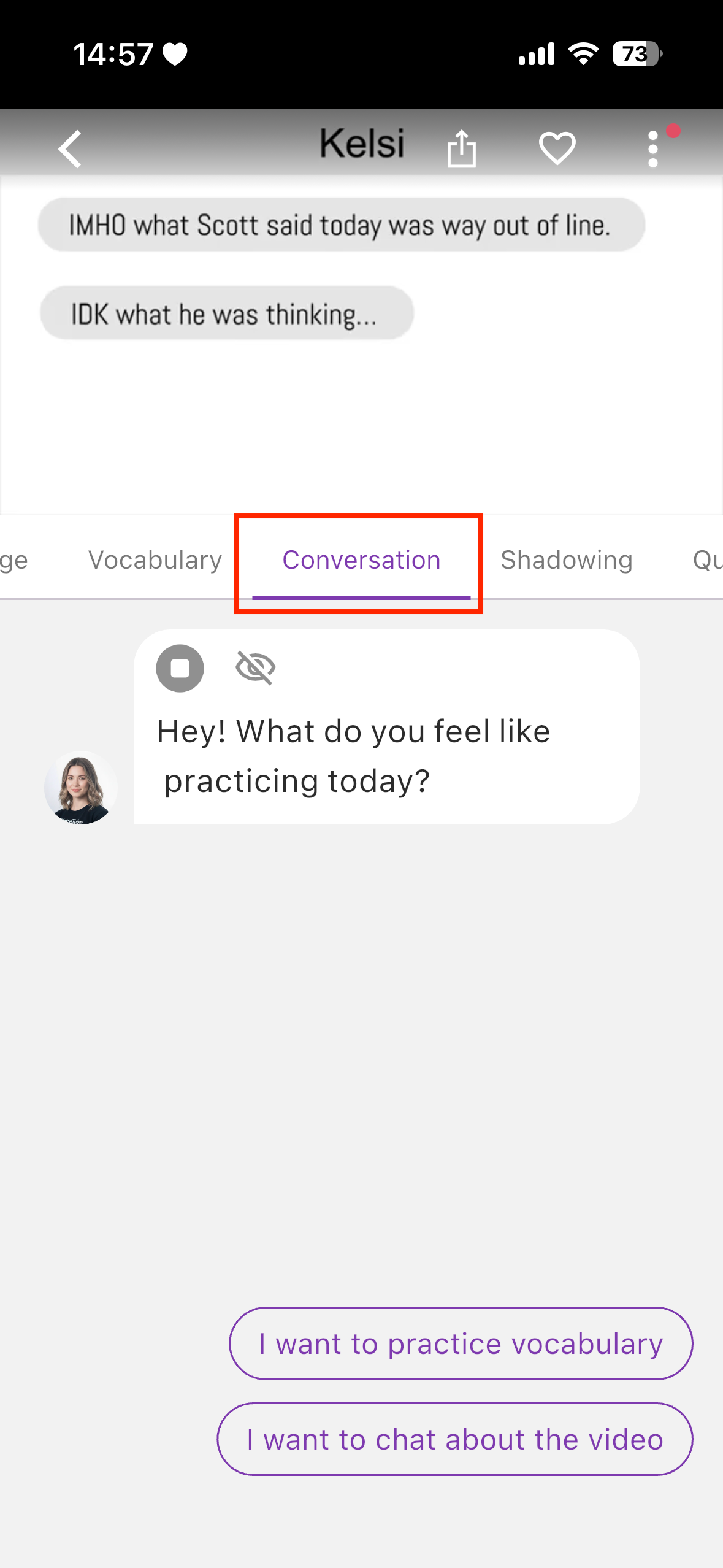
How to View Conversation Records
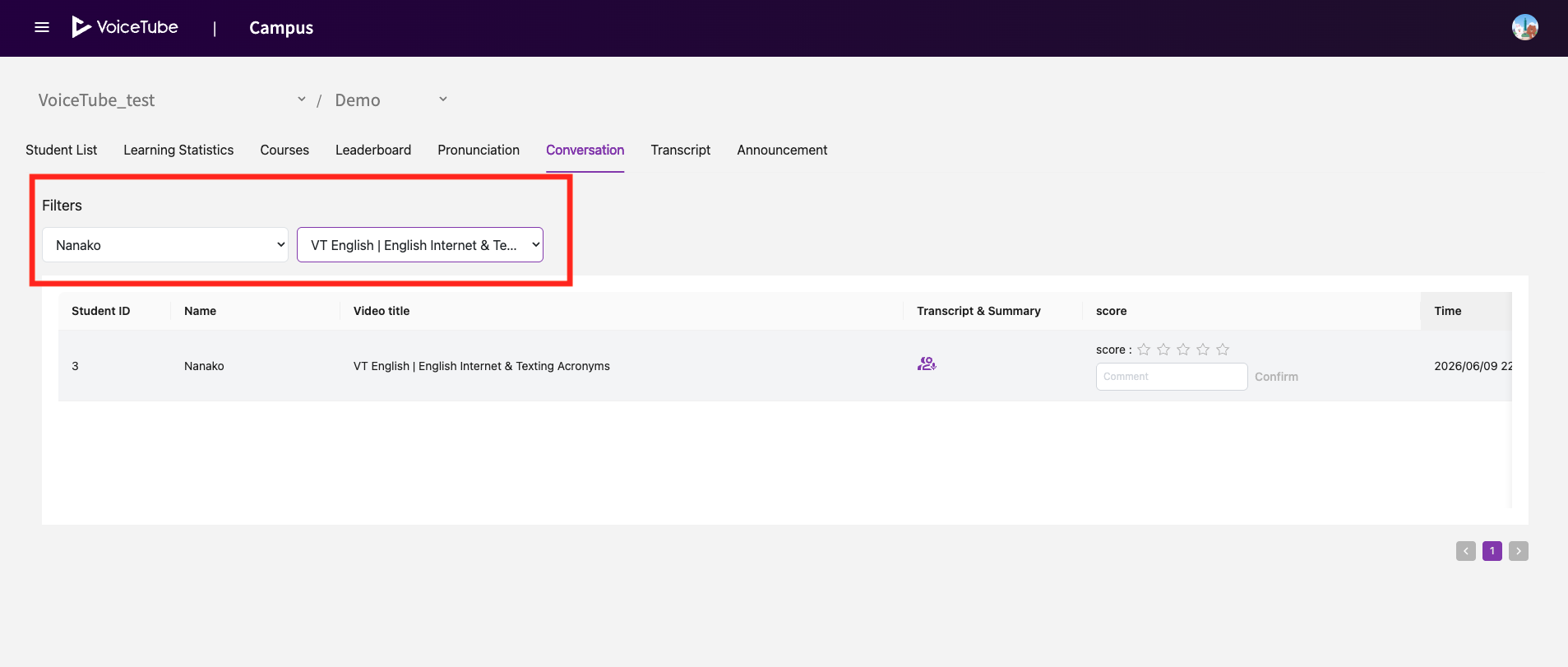
You can use the Filters function to narrow down results by student or video.
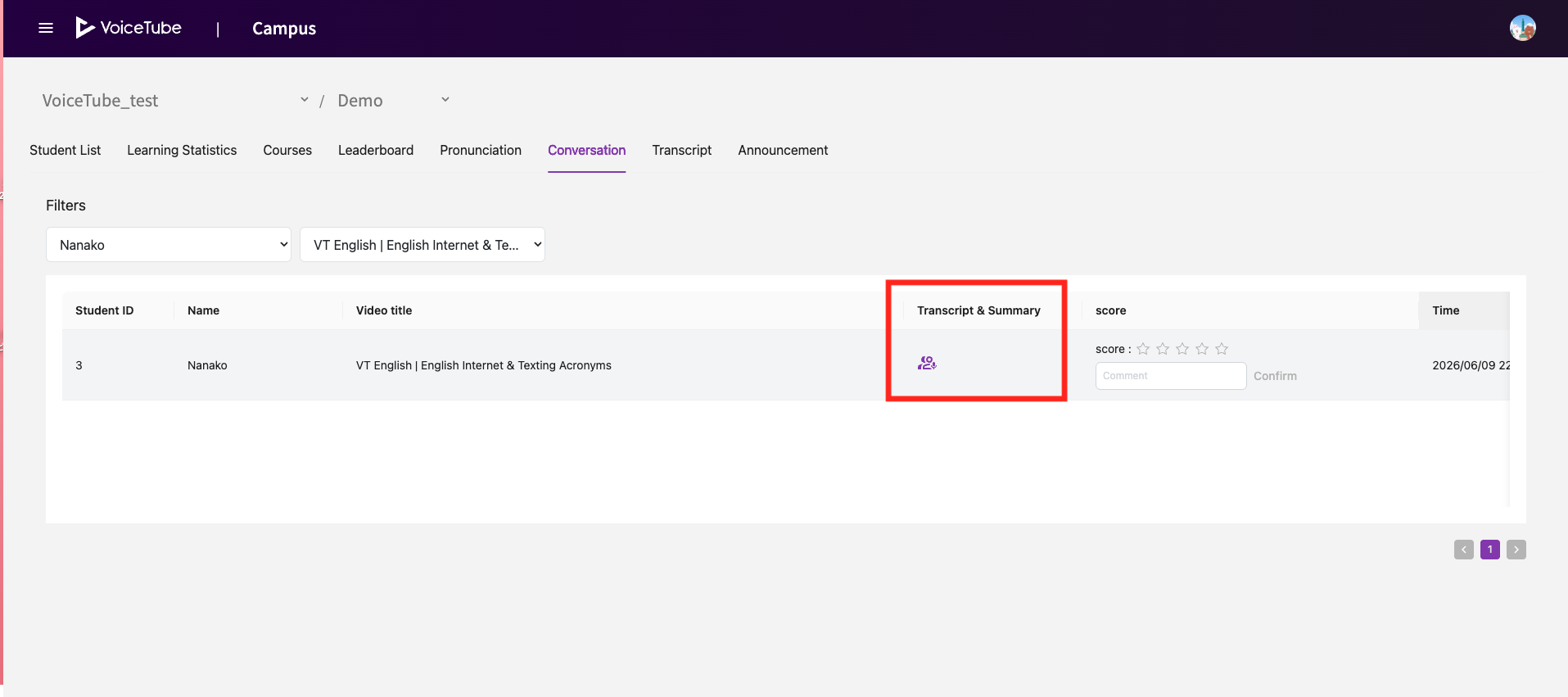
 Click Transcript & Summary to view the detailed conversation transcript and AI assessment results.
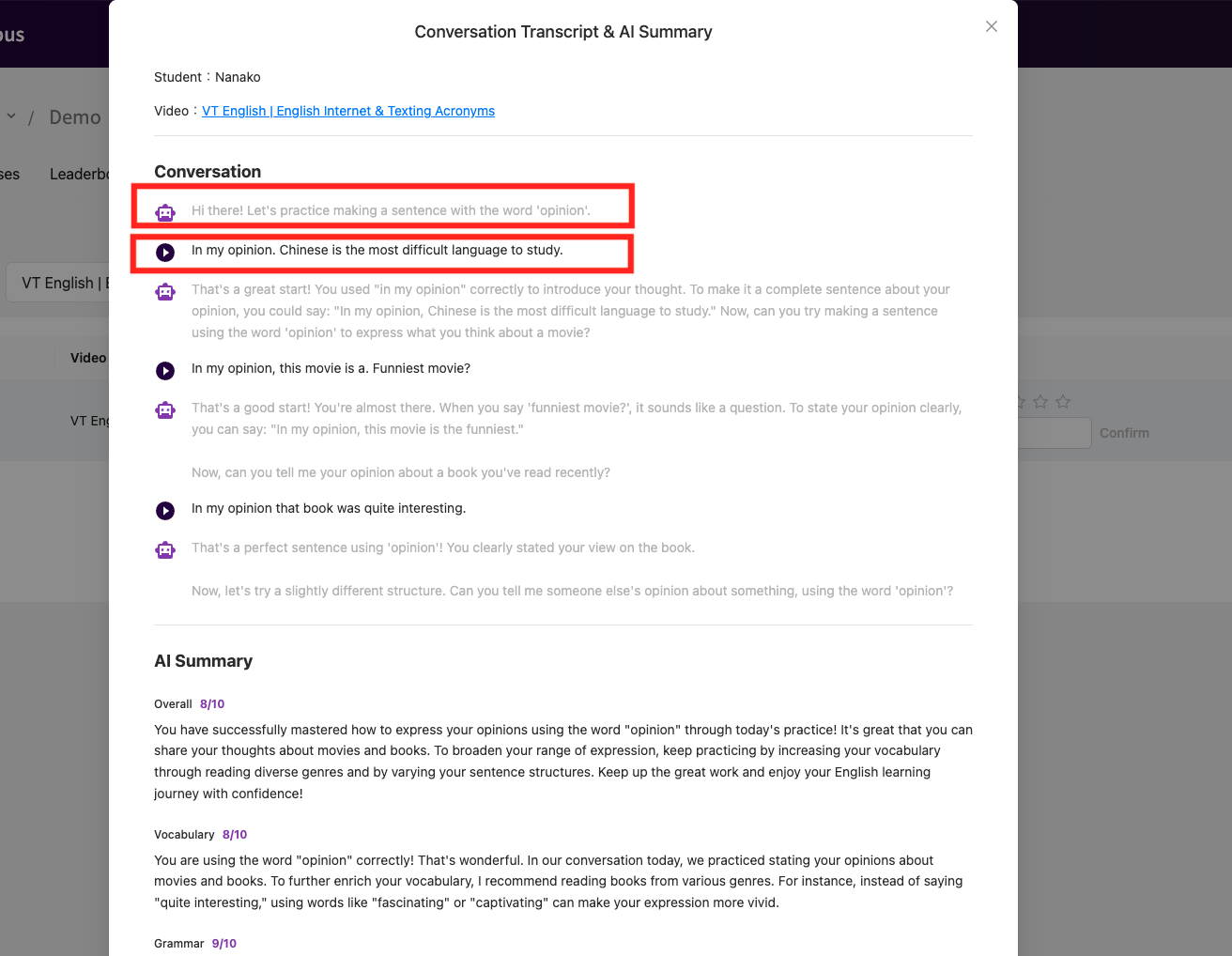
Conversation
-
The Robot Icon indicates responses generated by the AI.
-
The Play Button indicates responses spoken by the student.
- You can click the Play Button to listen to the student's recorded audio.
AI Summary
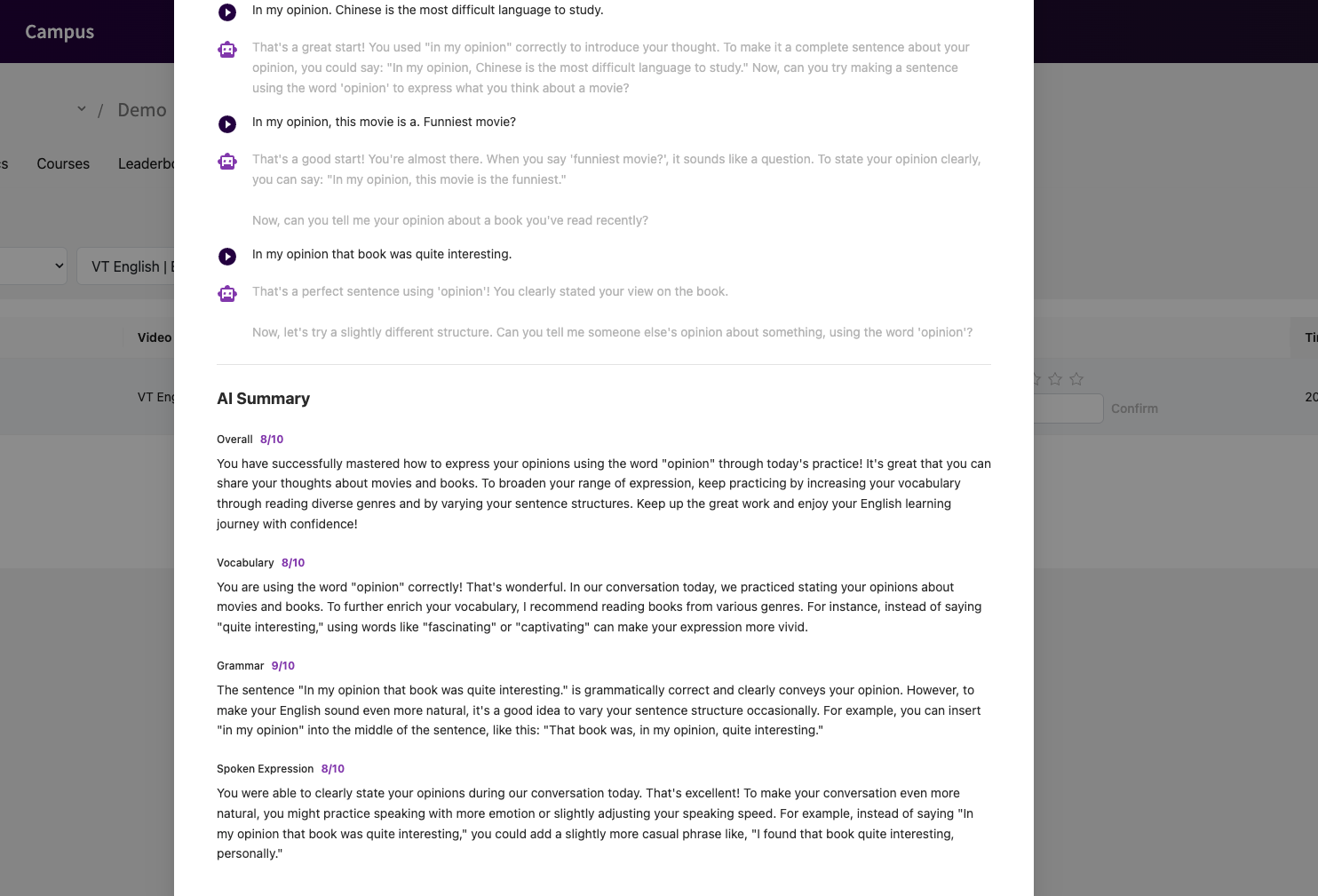 The AI Summary section displays the score and feedback provided by the AI at the end of the conversation. This allows you to quickly identify the student's performance and any areas that may require follow-up or additional support.
Score
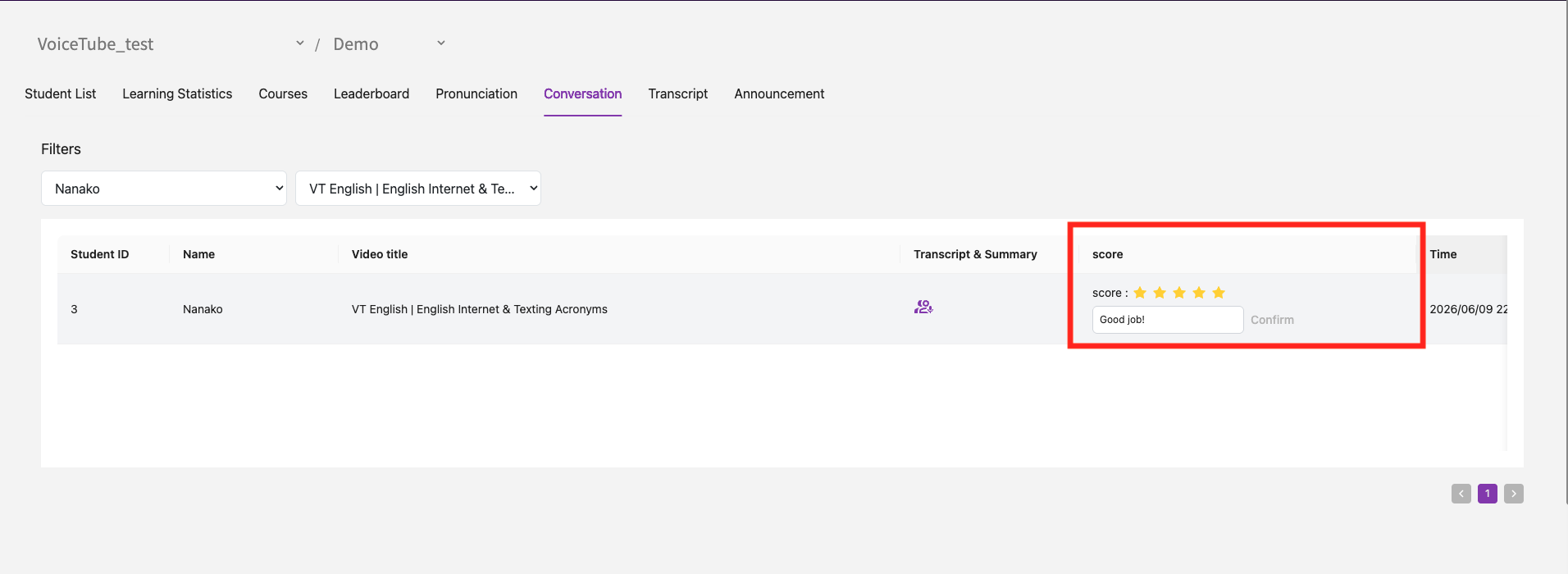 In the Score section, you can leave evaluations and comments regarding the conversation.
FAQ
Q. Why are there no records for some videos?
Only conversation records generated from videos that have been added as Course Videos in Campus are displayed in the conversation section. Records from other videos are not available on Campus.
For more information about Course Videos, please refer to this page 👉 [Course Videos]