Please go to the Forgot Password page
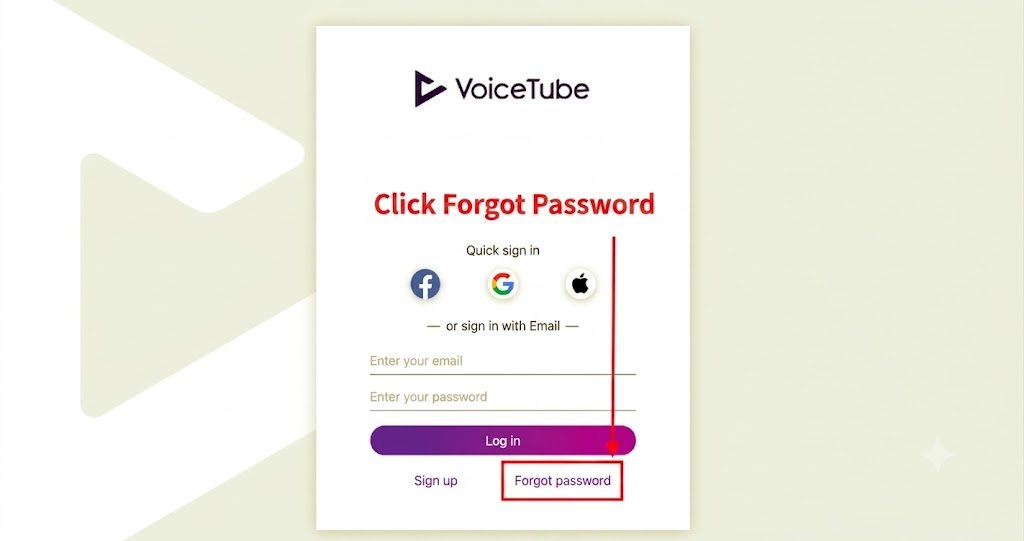
Enter the email you used to register your VoiceTube account
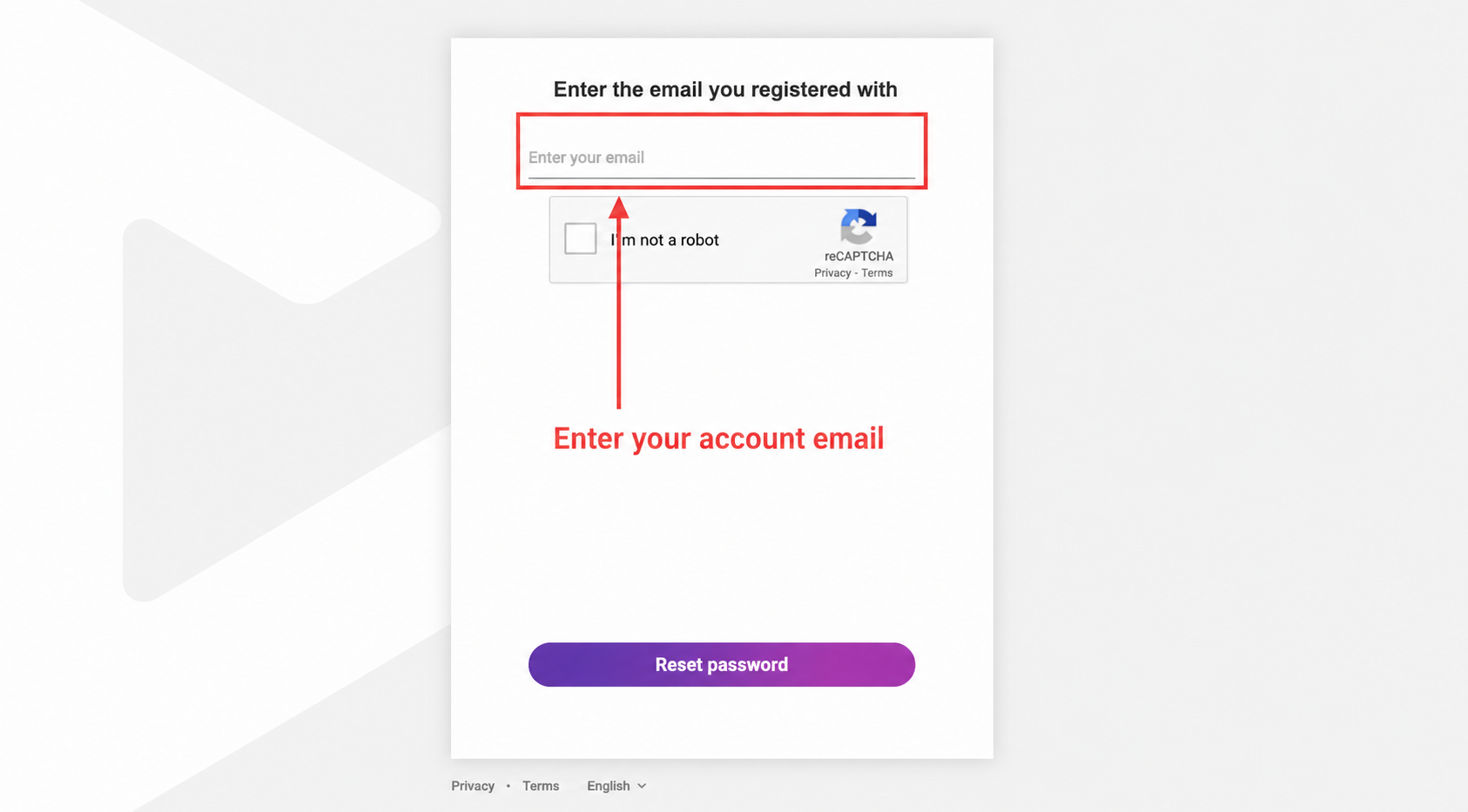
The system will send a password reset link to your email
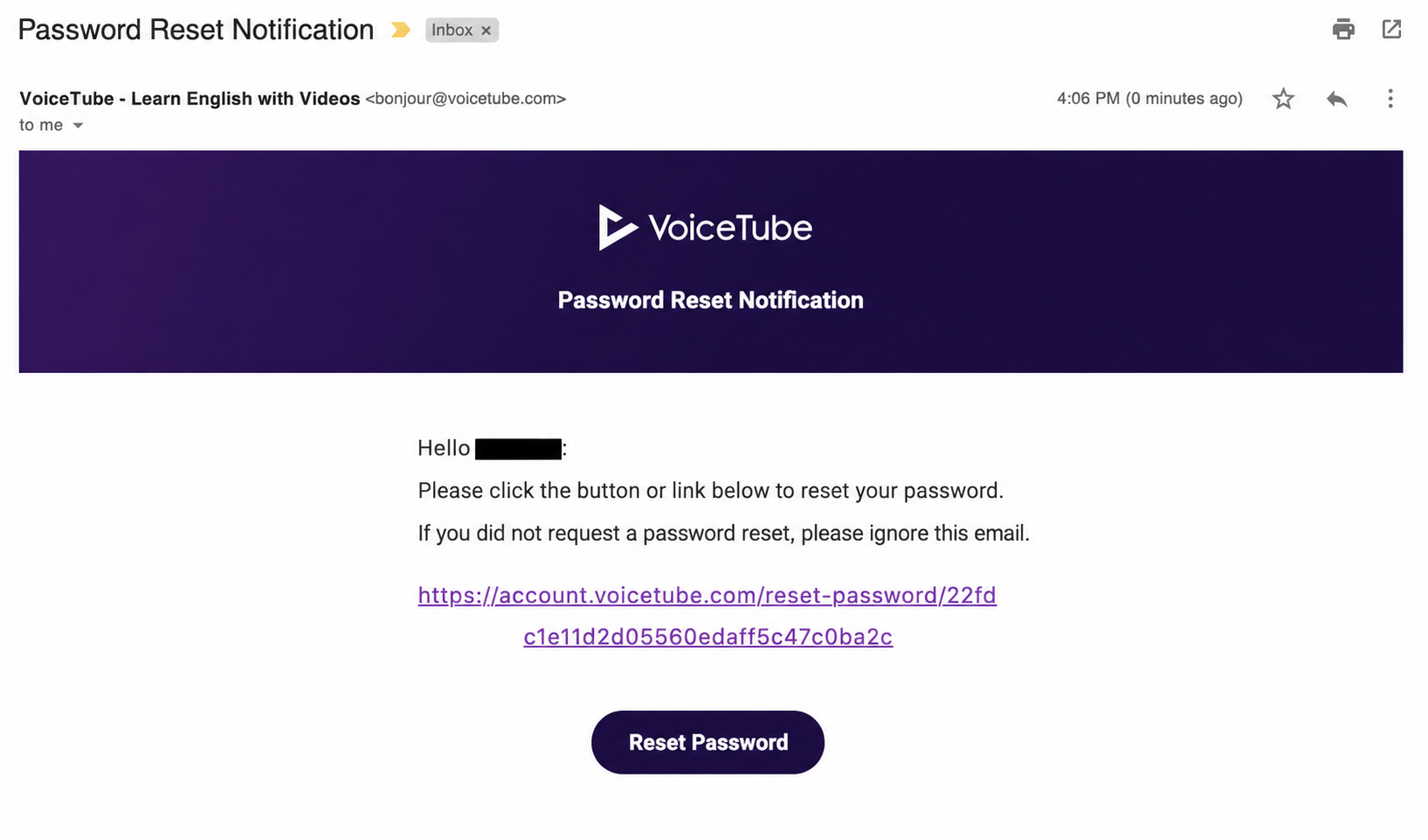
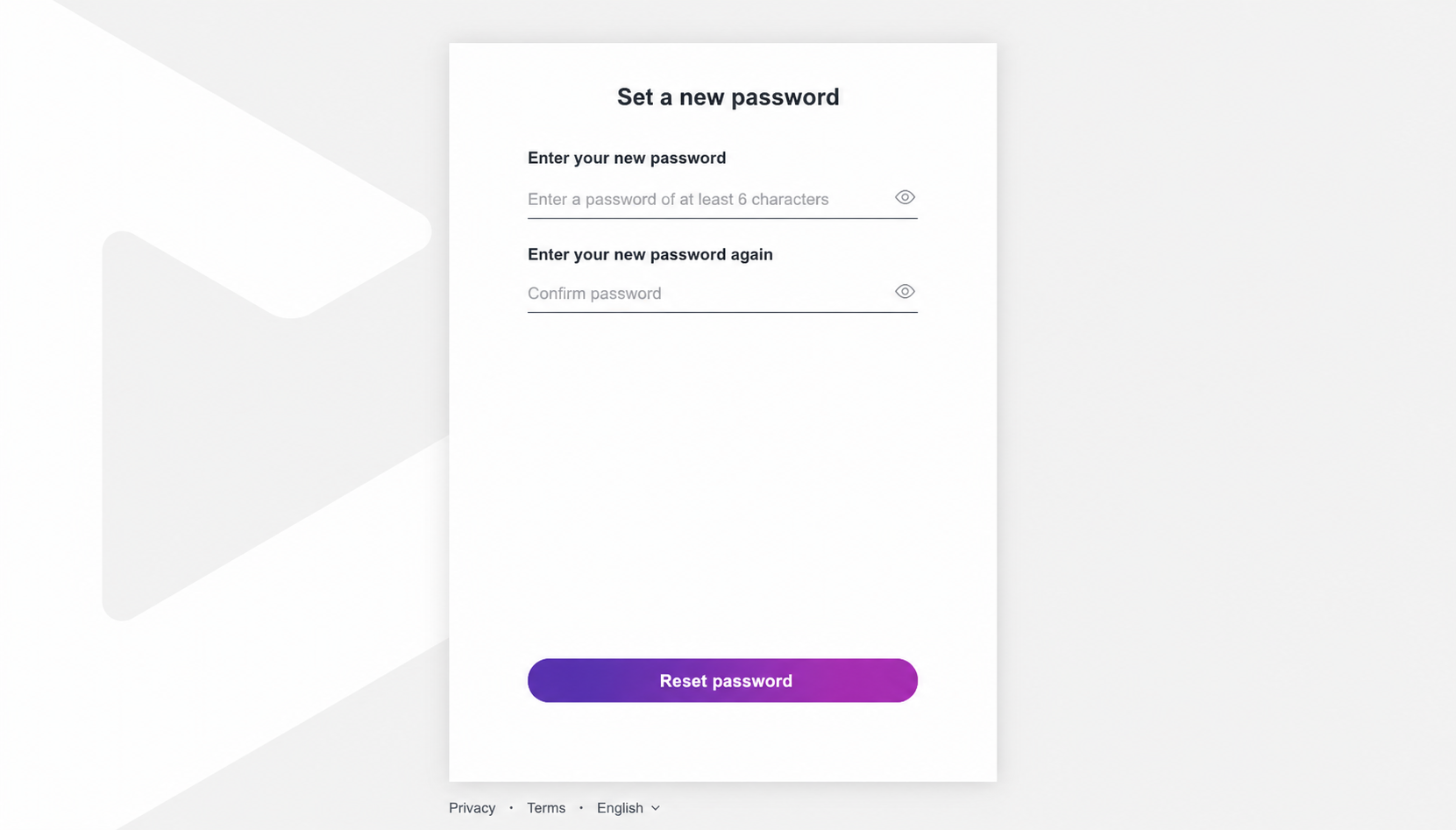
After clicking the link, you can set a new password!
If you have not received the "Password Reset Notification Email," please first check your spam folder!
If it is not in your spam folder either, please email our customer service to let us know.
The email subject and content are as follows:
- Subject: Reset Password Setting
- Content: The account email that needs the password reset is _______, and please note that you have checked your spam folder and there is no "Password Reset Notification Email."
Since password resets are handled manually, we will assist you in changing your password within three business days.
📝 Note: This article was machine-translated. If anything is unclear, please contact our support team.