How do I log in to take lessons on my phone?
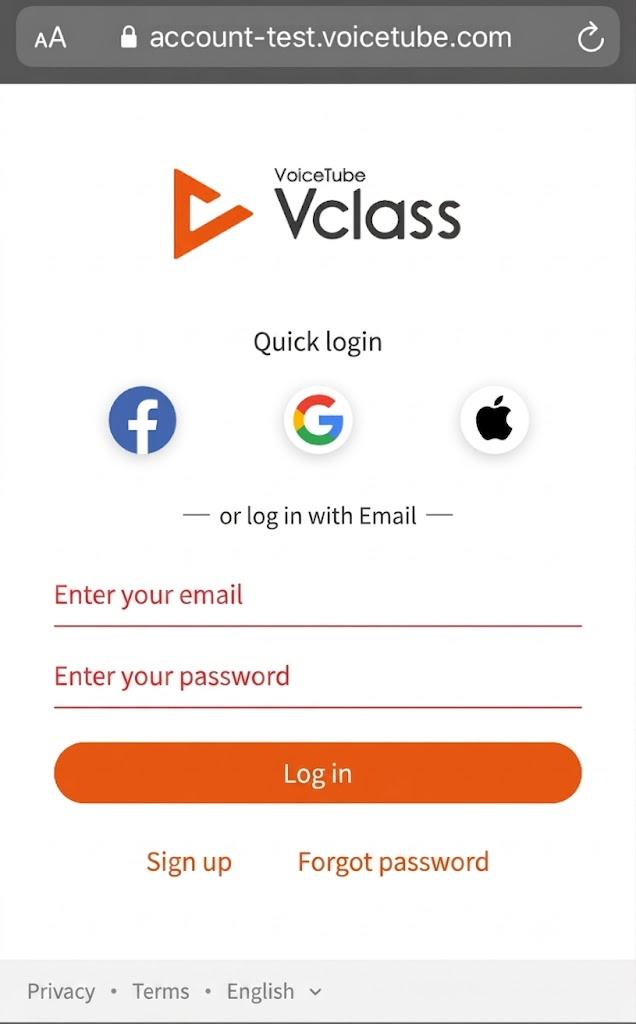
Step 1: Tap "Log in" in the top-right corner

Step 2: Enter your account and password
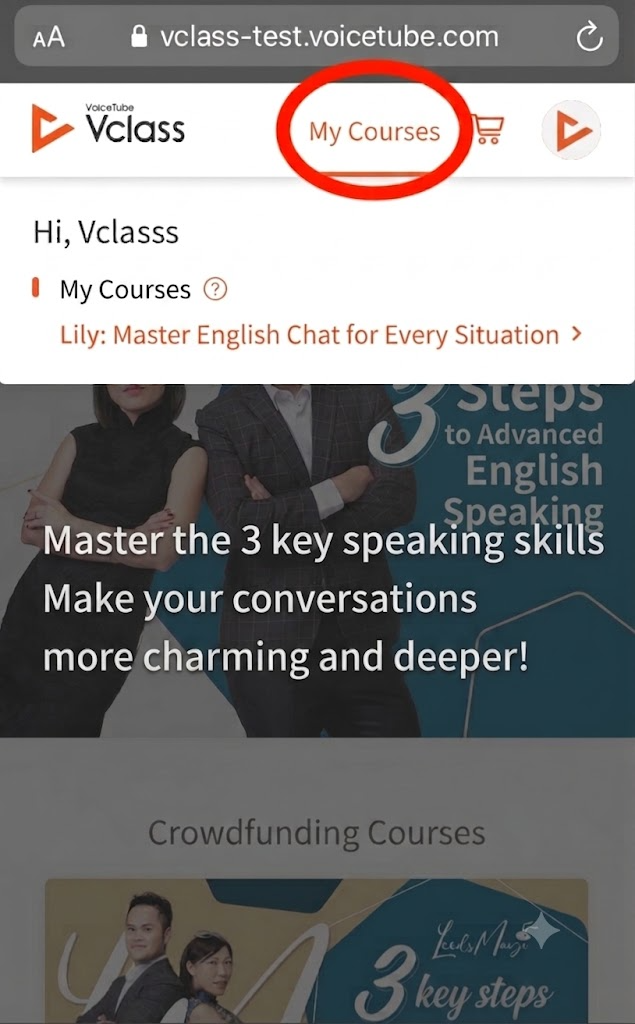
Step 3: Once logged in, tap "My Courses" in the top-right corner
Step 4: Start your lesson
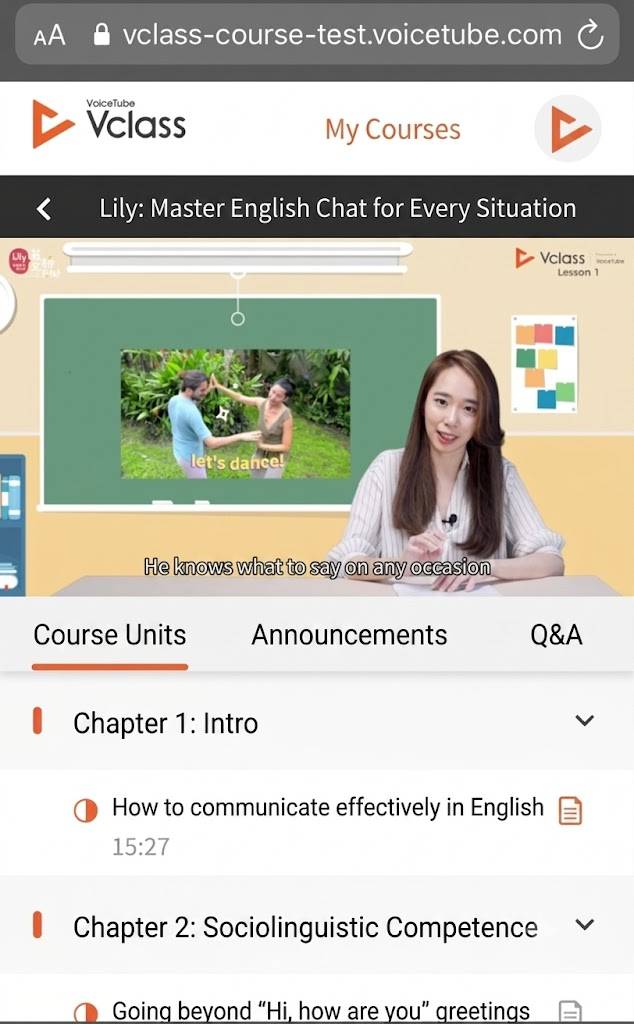
Video Tutorial - How to log in to Vclass and take lessons? (Mobile version)
📝 Note: This article was machine-translated. If anything is unclear, please contact our support team.