All Voicetube Hero course invoices are uniformly issued after the course is purchased. If the "company invoice" option was selected at the time, a printable invoice file will be emailed directly to the purchaser's email address, and the user can download and print it directly from the email.
Voicetube Hero personal invoices have four options
1. Donate Invoice

- Or directly enter a love code (love code list: Ministry of Finance E-Invoice Integration Service Platform)
2. Electronic Invoice

-
You can choose to store the invoice in the "Voicetube member carrier", "Citizen Digital Certificate", or "mobile barcode carrier"
-
If you choose to store the invoice in the "Voicetube member carrier" and need proof of course purchase, you can email our service inbox to apply.
The email subject and body should be as follows:
- Subject: Course Purchase Proof Application
- Body:
Purchaser's email:
Purchaser's phone:
Order number:
And state any required notes. We will reply within five to seven business days. - If the invoice wins a prize, after the draw we will send a "Voicetube Hero Uniform Invoice Prize Notification" and ask you to return the required information so that we can mail the paper electronic invoice. This takes seven to ten business days.
- Citizen Digital Certificate: 16 characters in length, composed of 2 upper/lower case letters plus 14 digits
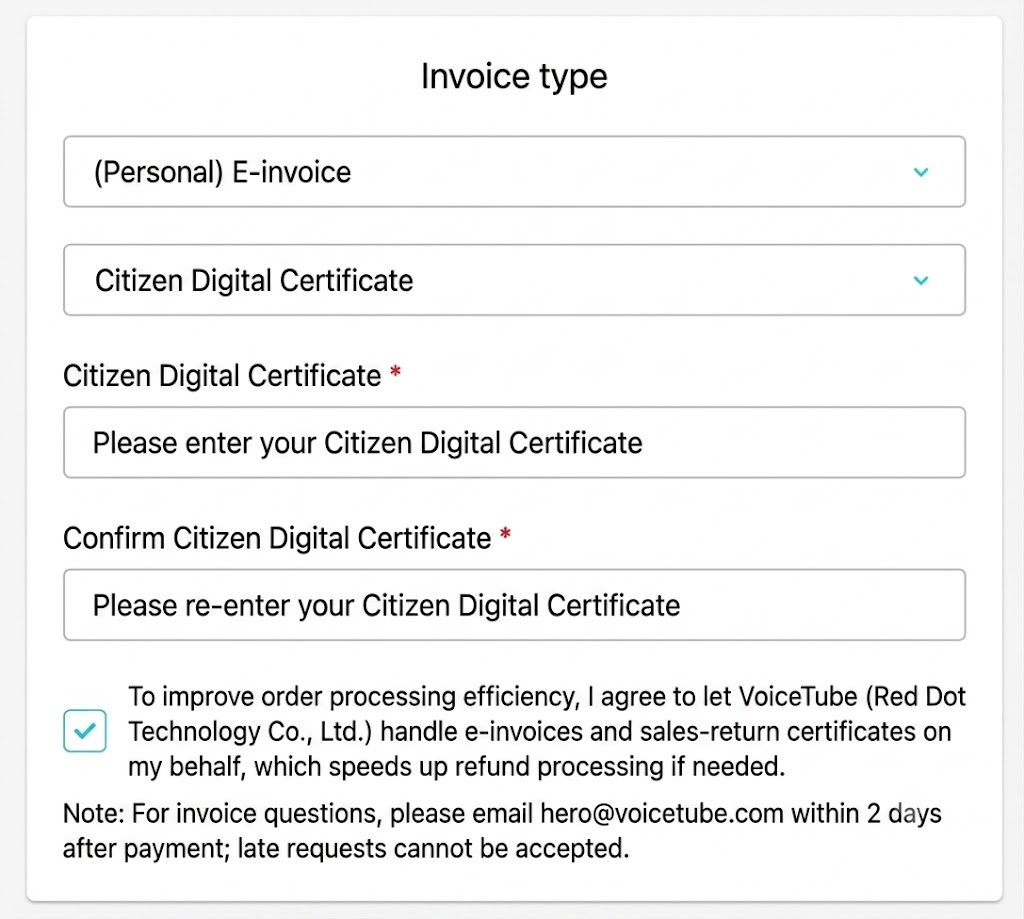
- Mobile barcode carrier: fixed length of 8, in the format of 1 forward slash "/" plus 7 characters composed of plus signs, minus signs, periods, digits, and upper/lower case letters

3. Company Electronic Invoice
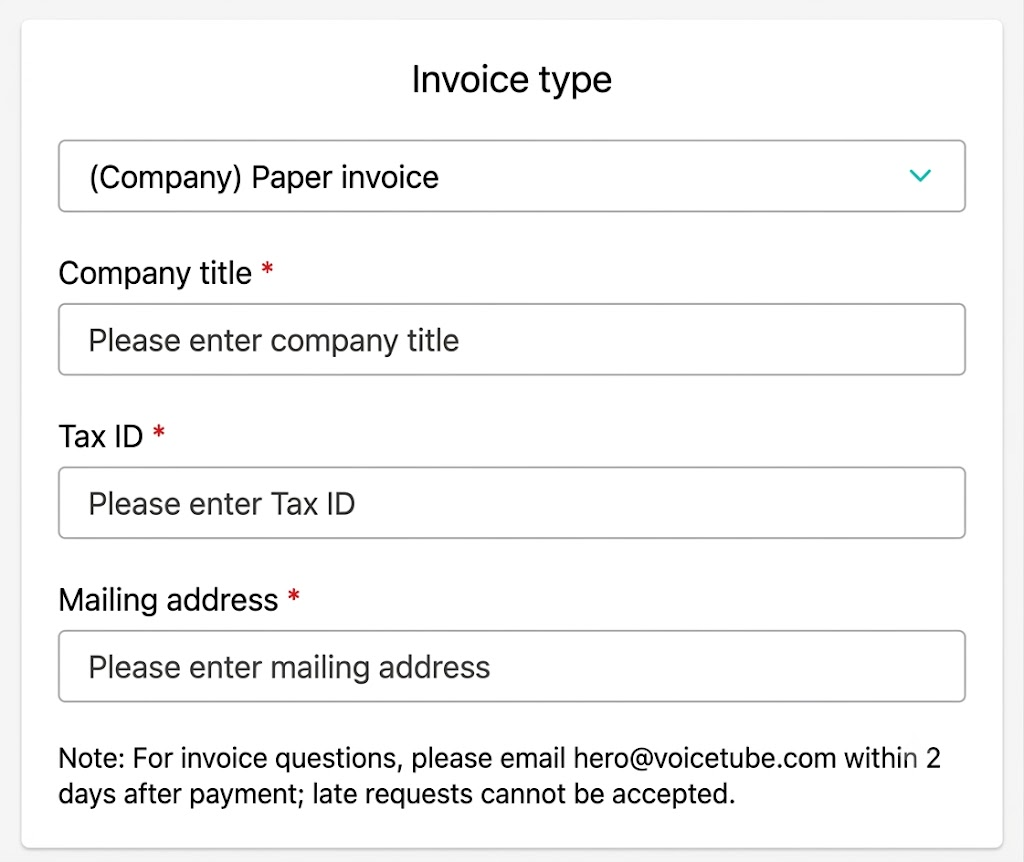
- Invoice title: Please be sure to fill in the correct company name
- Unified business number: Please be sure to fill in the correct unified business number
- Company address: Please be sure to fill in the complete company address (To save paper and support environmental protection, paper company invoices are no longer provided.
**If you choose "company invoice", a printable invoice file will be emailed directly to the purchaser's email address, and the user can download and print it directly from the email (subject: "Company Name" Electronic Invoice Issuance Notification (Invoice Number)).
📝 Note: This article was machine-translated. If anything is unclear, please contact our support team.